Επισκόπηση προϊόντος
WISECP Payment Module for N Kolay (PayNKolay) Payment Method integration. This module is a on-site payment method module integration developed by Fononline for WISECP Automation Software.
NKolay Payment and Electronic Money Institution operates as a subsidiary of Aktif Yatırım Bankası. N Kolay serves as a licensed payment institution by the Central Bank of the Republic of Turkey, providing easy, fast, secure, and innovative Virtual and Physical POS solutions to its customers.
About the Module:
This module is an N Kolay (PayNKolay) virtual POS API integration developed by Fononline for WISECP Automation Software.
Module Features:
- Multi-Language Support
- 3D Secure Option Available
- Supports Installment Payments
- Completely Open Source
- All Functions are Active
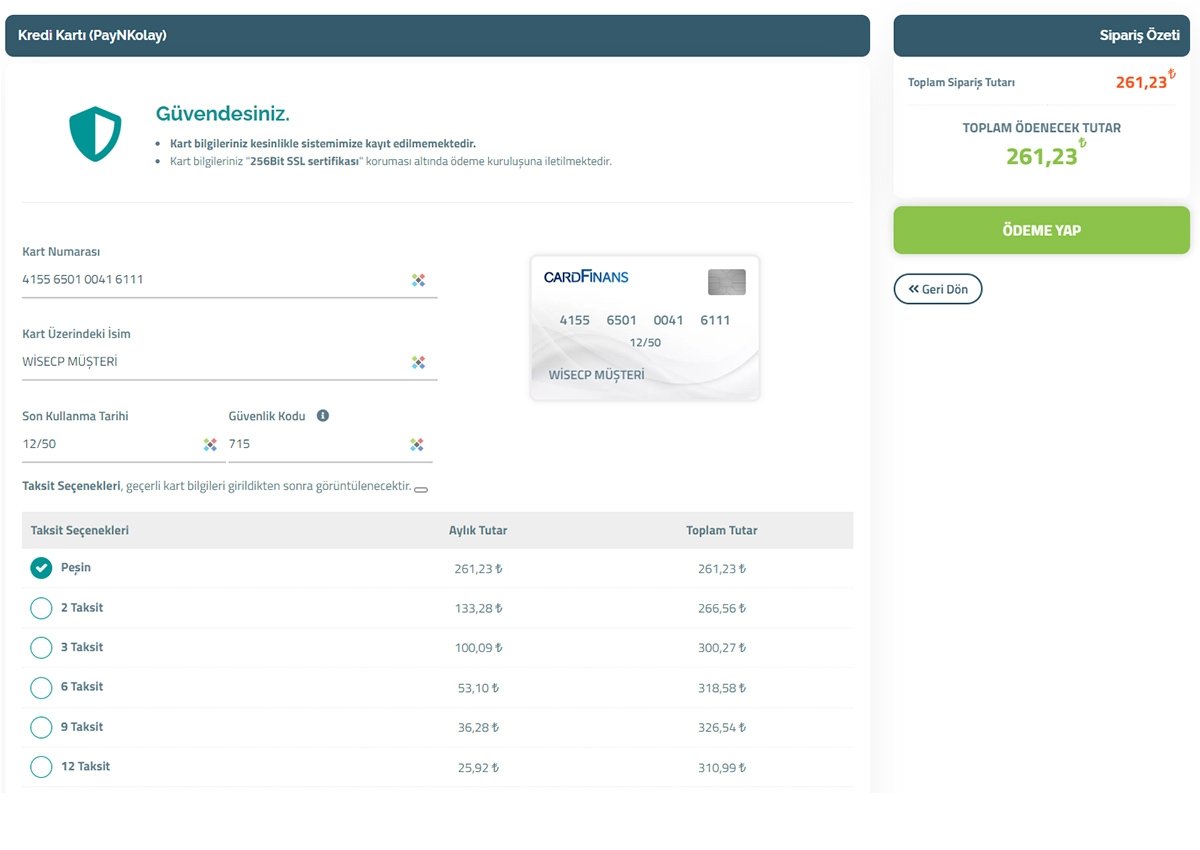
- Does not redirect to external pages (shared payment page), except during the 3D verification process
- It is an on-site payment method. It uses WISECP payment form and performs payment transactions without leaving the site.
Installation:
- Copy/upload the "coremio" folder from the downloaded file to the directory where WISECP software is installed (Example: /home/public_html/WISECP/)
- Make sure the folder structure is correct (Example: /home/public_html/WISECP/coremio/modules/Payment/PayNKolay/PayNKolay.php)
- Go to your WISECP Control Panel.
- Navigate to the Settings menu and select Payment Methods under Financial Settings.
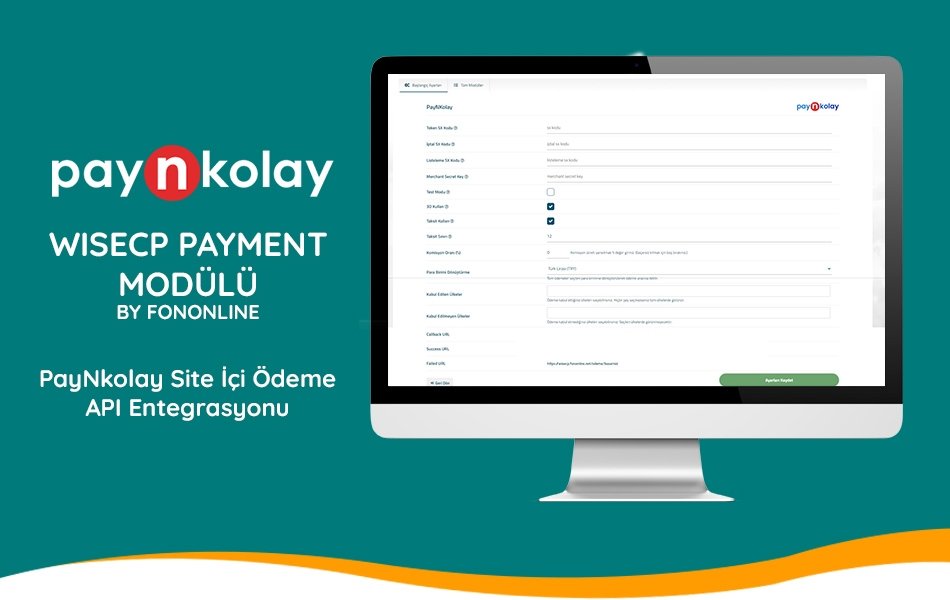
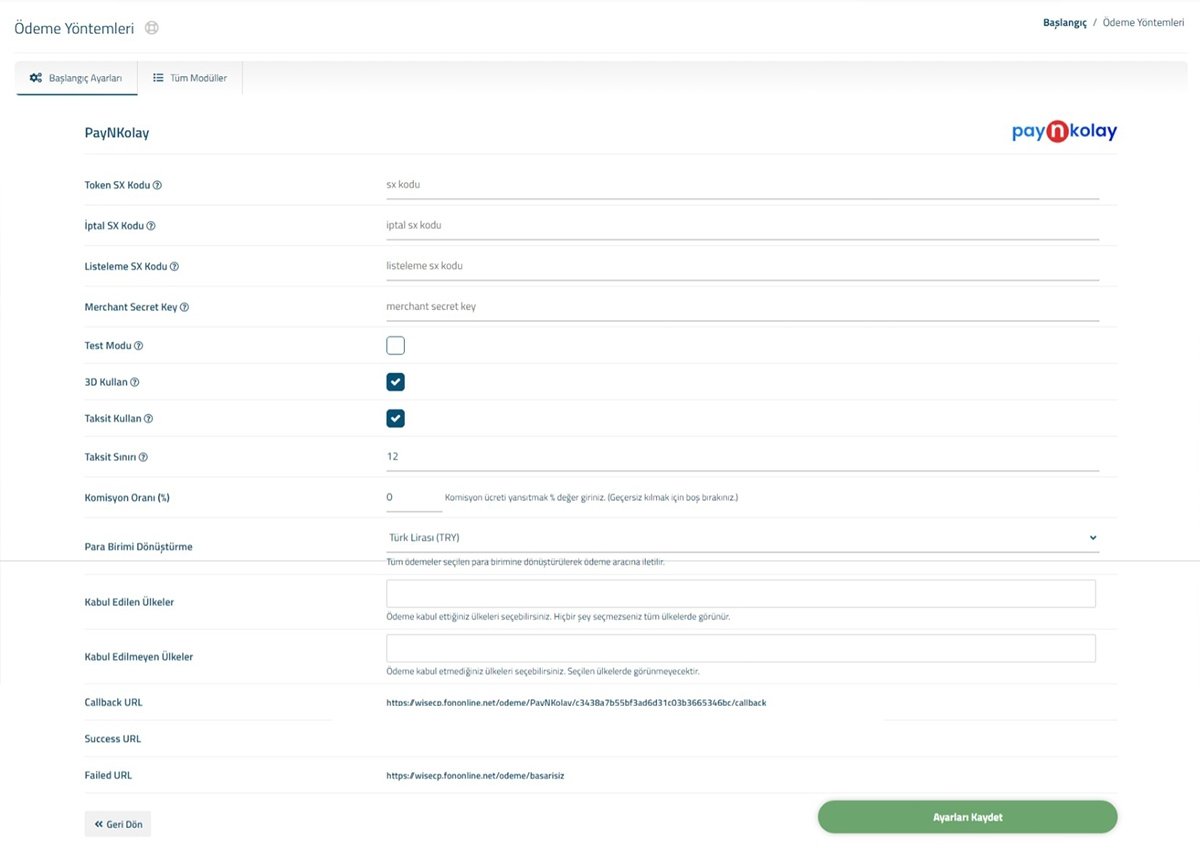
- Go to the All Modules tab and select the PayNKolay module, enter the required information.
Module Settings:
- Token SX Code: Enter the Token SX value obtained from nKolay API information.
- Cancel SX Code: Enter the Cancel SX value obtained from nKolay API information.
- Listing SX Code: Enter the Listing SX value obtained from nKolay API information.
- Merchant Secret Key: Enter the Merchant Secret Key value obtained from nKolay API information.
- Under Currency Conversion Options, select Turkish Lira (TRY).
- Click on the Save Settings button to save the settings.
Congratulations, you can now start using the module.
Requirements WISECP v3 and above PHP 8.1 and above PHP cURL addon enabled