产品概览
WISECP Domain Registrar module for Metunic API integration. This module is a metunic.com.tr API integration developed by Fononline for WISECP Automation Software.
METUnic was established in March 2019 by ODTÜ Development Foundation with the expertise of ODTÜ, one of Turkey's leading universities, in the field of information technology. Since 1998, METUnic has been responsible for the allocation of domain names with the ".tr" extension.
Module Features:
- Domain Name Lookup
- Domain Name Registration
- Domain Name Renewal / Extension
- Automatic Update of Extension Costs
- Nameserver Management
- Child Nameserver Management (TLD Only)
- Whois Protection - Free (TLD Only)
- Update Whois Information
- Transfer Lock Management
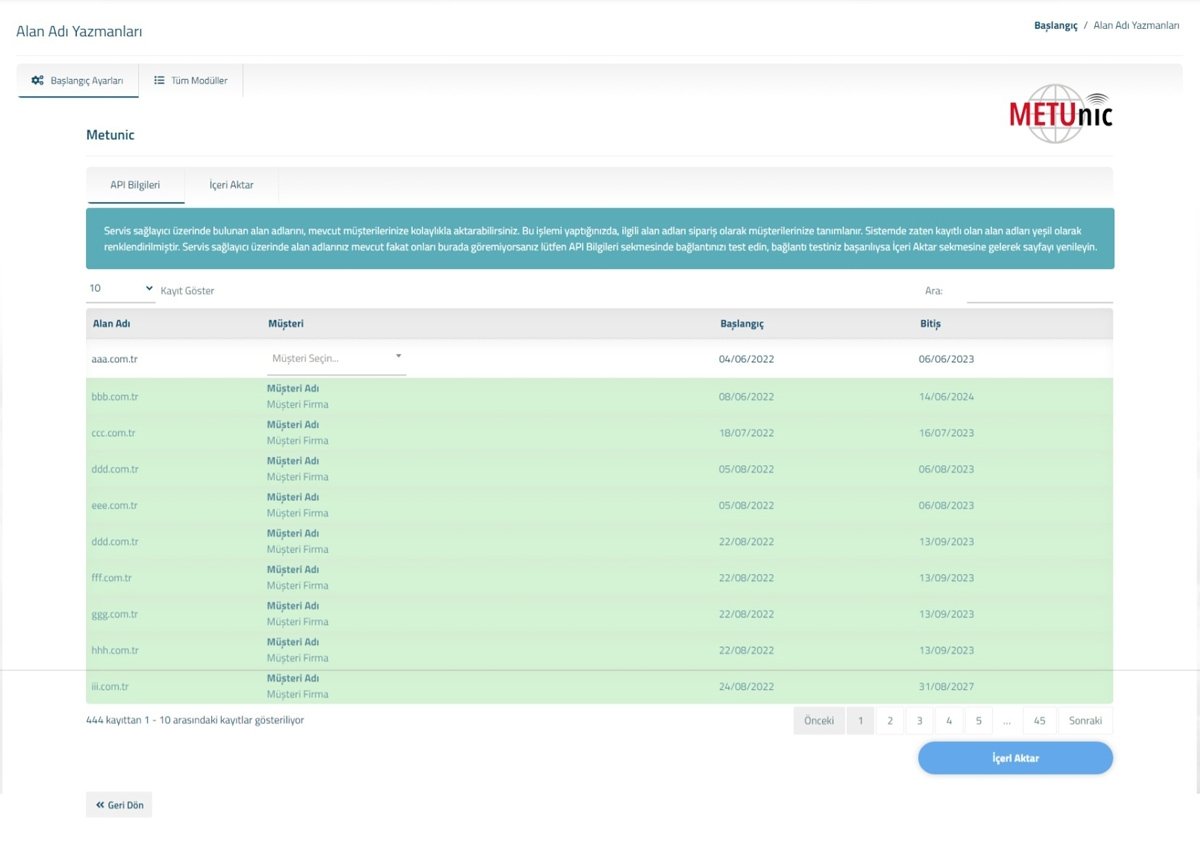
- Bulk Import of Domain Names on Metunic
- Bulk Import of All Supported Extensions on Metunic
- NOTE: For domain names that require documentation, you need to upload the necessary documents through your Metunic control panel.
- Turkish / English Language Support
Installation:
- Copy/upload the "coremio" folder from the downloaded file to the directory where WISECP software is installed (Example: /home/public_html/WISECP/)
- Ensure that the folder structure is correct (Example: /home/public_html/WISECP/coremio/modules/Registrars/Metunic/Metunic.php)
- Go to your WISECP Control Panel.
- Navigate to Products/Services menu and select Domain Registration -> Domain Registrars.
- Click on the All Modules tab on the page and search for the Metunic module in the module list and select it.
Module Settings:
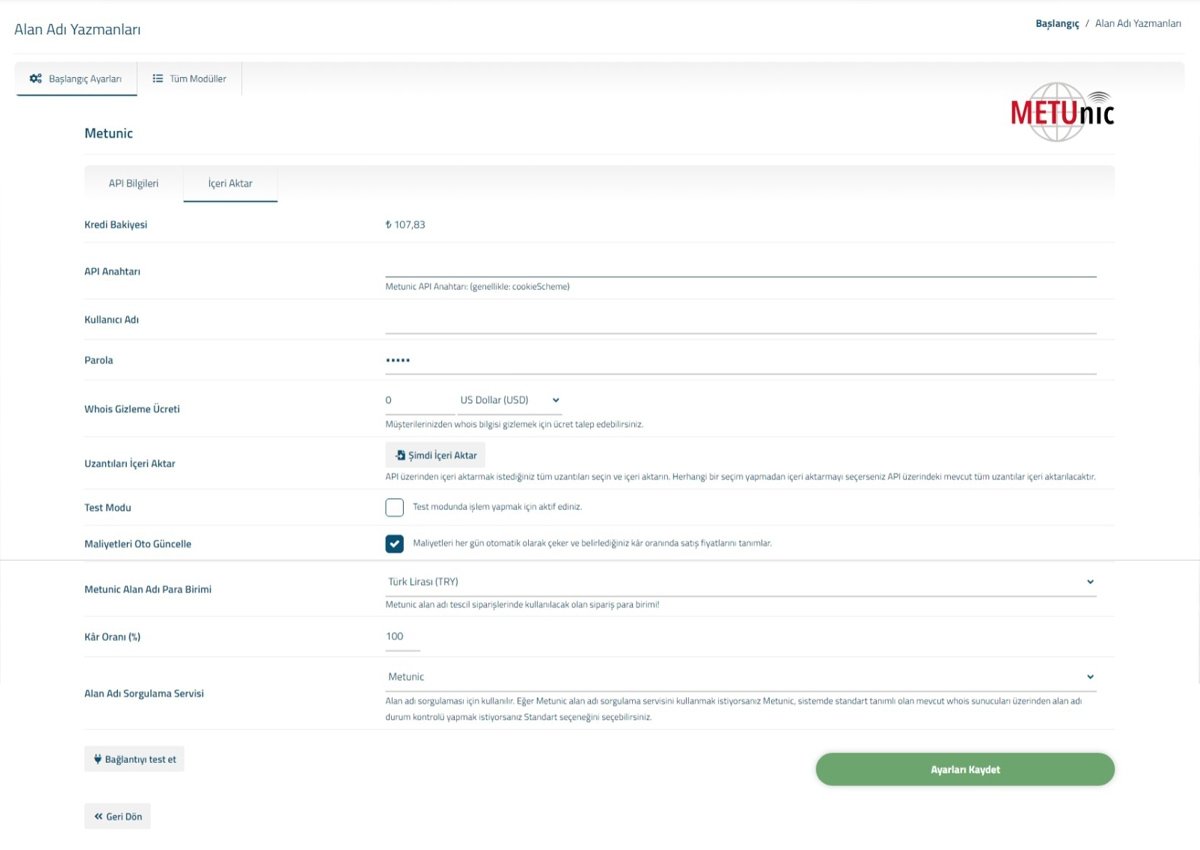
- API Cookie Name: Specify a cookie name for Metunic API connection for logging in. You can enter anything. If you leave it blank, WiseCPMetunicFononline will be used as the default.
- Username: Enter your Metunic API Reseller username/email address.
- Password: Enter your Metunic API Reseller password.
- Click on the Save button.
- You can test your connection by clicking on the Test Connection button.
Importing Domain Extensions (TLDs):
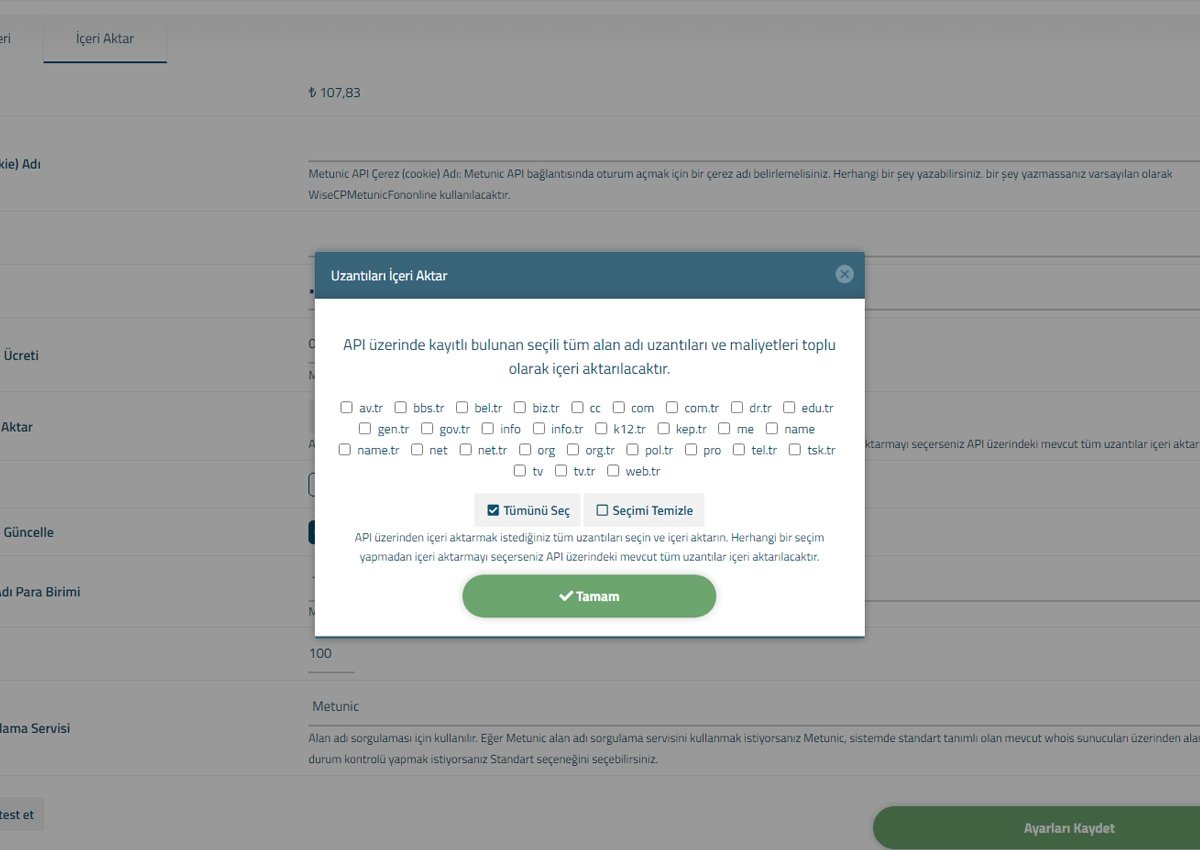
To import all supported domain extensions that can be registered through Metunic into WISECP, click on the Import Extensions button and select the domain extensions you want to import from the popup window.
Importing Domain Names:
You can import all your existing domain names registered through Metunic into WISECP.
- Click on the Import tab and list all your domain names available on Metunic that you can import.
- Select the customer to whom you want to assign the domain name from the selection list next to the domain you want to import, and click on the Import button.
- The selected domain names will be transferred to the accounts of your WISECP customers.