Visão geral do produto
WISECP PartialPay makes your invoice collection processes much more flexible and manageable, simplifying financial transactions for both you and your customers.
Smart and Flexible Invoice ManagementPartial Invoice Payments
In the digital business world, flexibility and customer satisfaction are everything. WISECP PartialPay makes your invoice collection processes much more flexible and manageable, simplifying financial transactions for both you and your customers.
The billing system offered by WISECP allows businesses to manage their financial processes efficiently and systematically. By default, it ensures a secure and seamless payment experience, assuming that customers will pay their invoices in full at once. However, in certain situations, some businesses and customers may prefer to make or receive payments in installments. That is exactly why the WISECP Partial Invoice Payments module was developed!
Why Partial Invoice Payments Module?
- Flexible Collection Options: Eliminates the obligation of full payment at once, allowing you to manage partial payments easily.
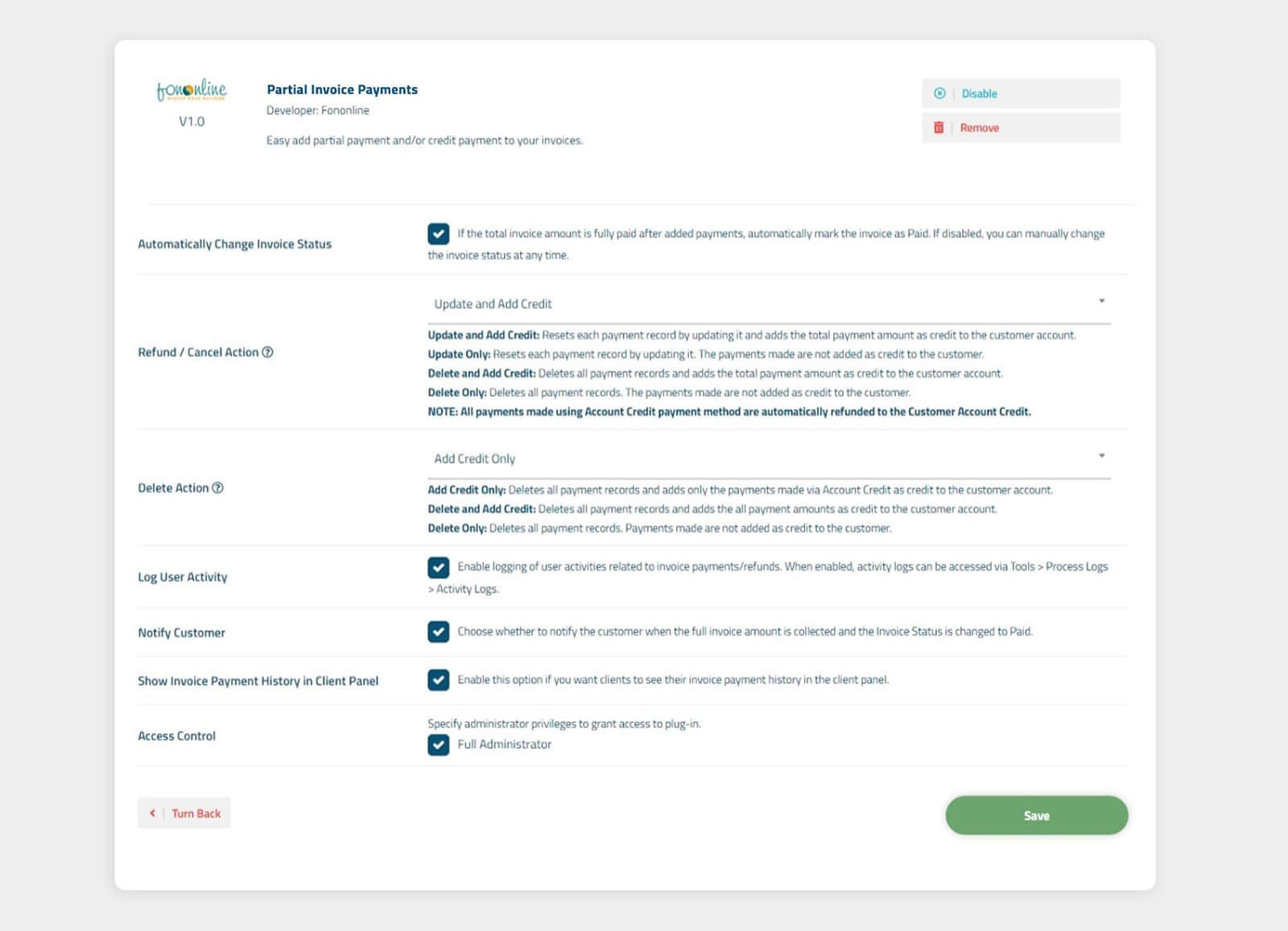
- Automatic Invoice Update: When the total invoice amount is fully paid, it can automatically mark the status as "Paid".
- Customer Panel Integration: Your customers can view their invoice details and payment history directly from their panel.
- Advanced Refund and Cancellation Options: Easily manage refunds, deleted payments, or payments converted into credit.
- Comprehensive User Logs: All collection and refund transactions are recorded with detailed logs.
- Smart Customer Notifications: Enhances customer satisfaction by sending automatic notifications when an invoice payment is made or when an invoice is fully paid. You can access Customer Notification Templates through the Admin Panel > Settings > Notification Templates menu and customize the invoice-partial-payment-approved [Custom] notification template (both in Turkish and English).
How Does the Partial Invoice Payments Module Work?
In the Admin Panel:
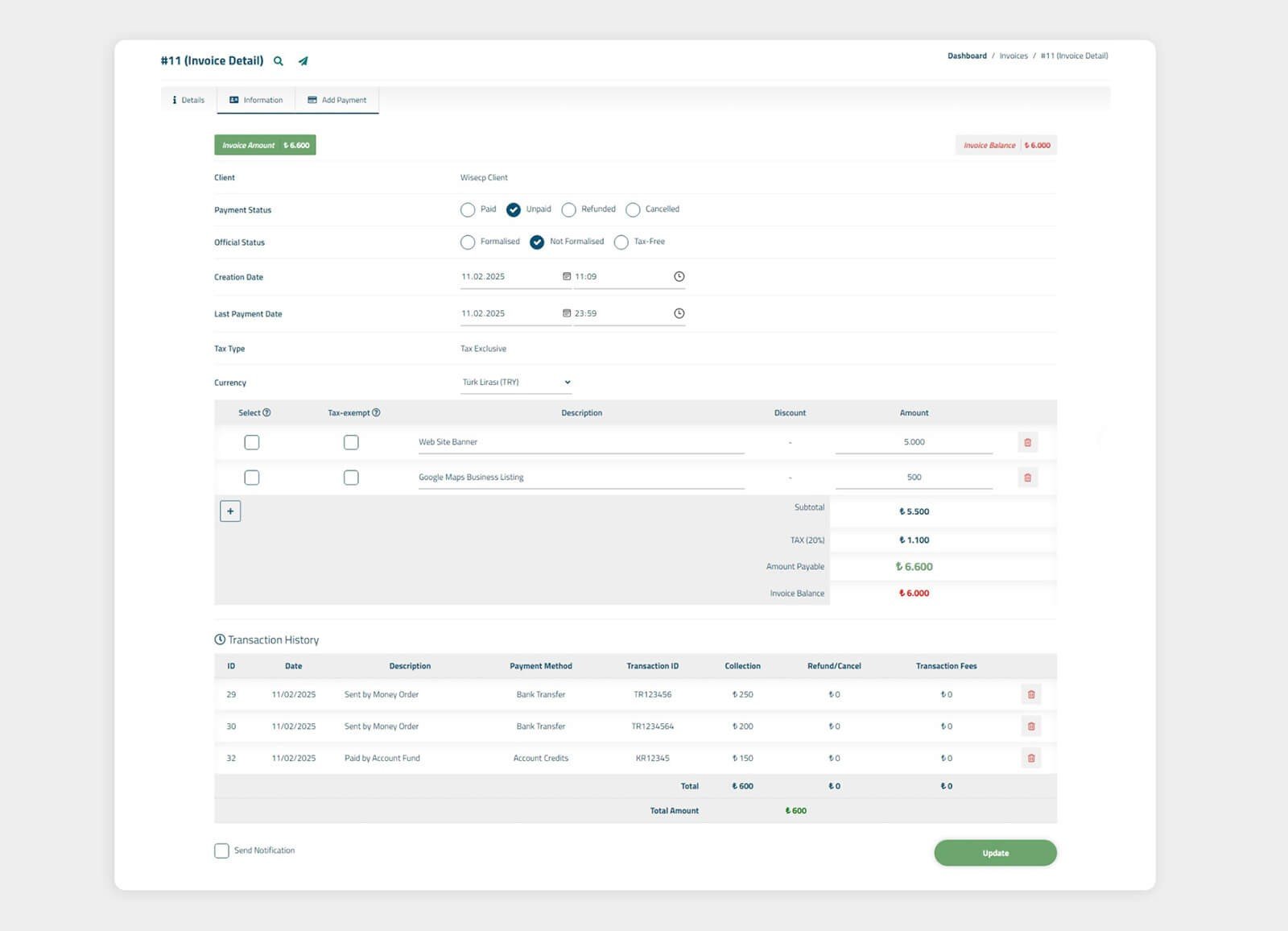
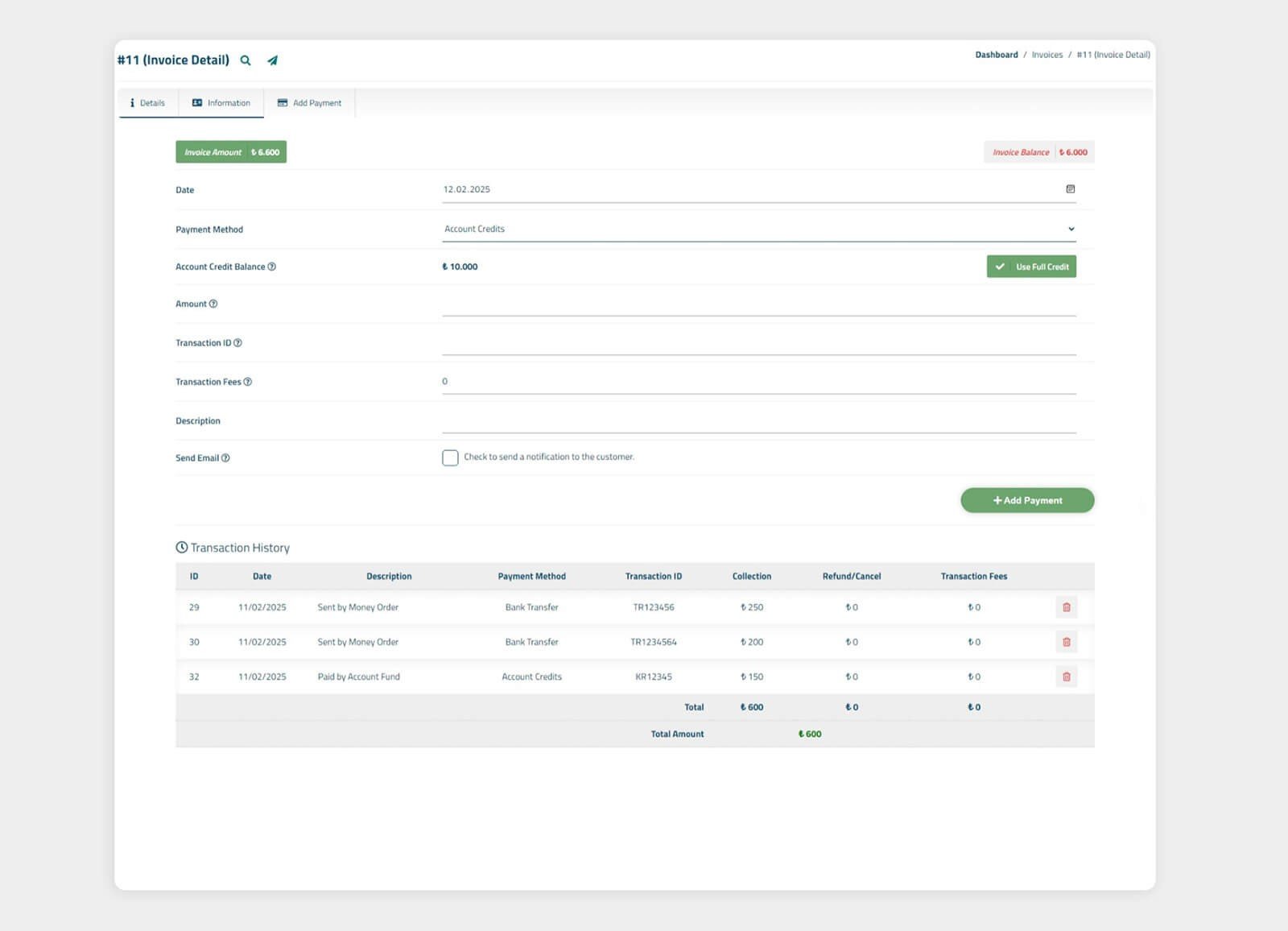
- A new "Add Collection" tab is added to the invoice editing screen.
- When adding a partial payment, details such as payment method, amount, date, transaction ID, and description can be specified.
- Previously made collection transactions are listed and can be deleted by the administrator if necessary.
- The total invoice amount and remaining balance can be viewed on the invoice detail screen.
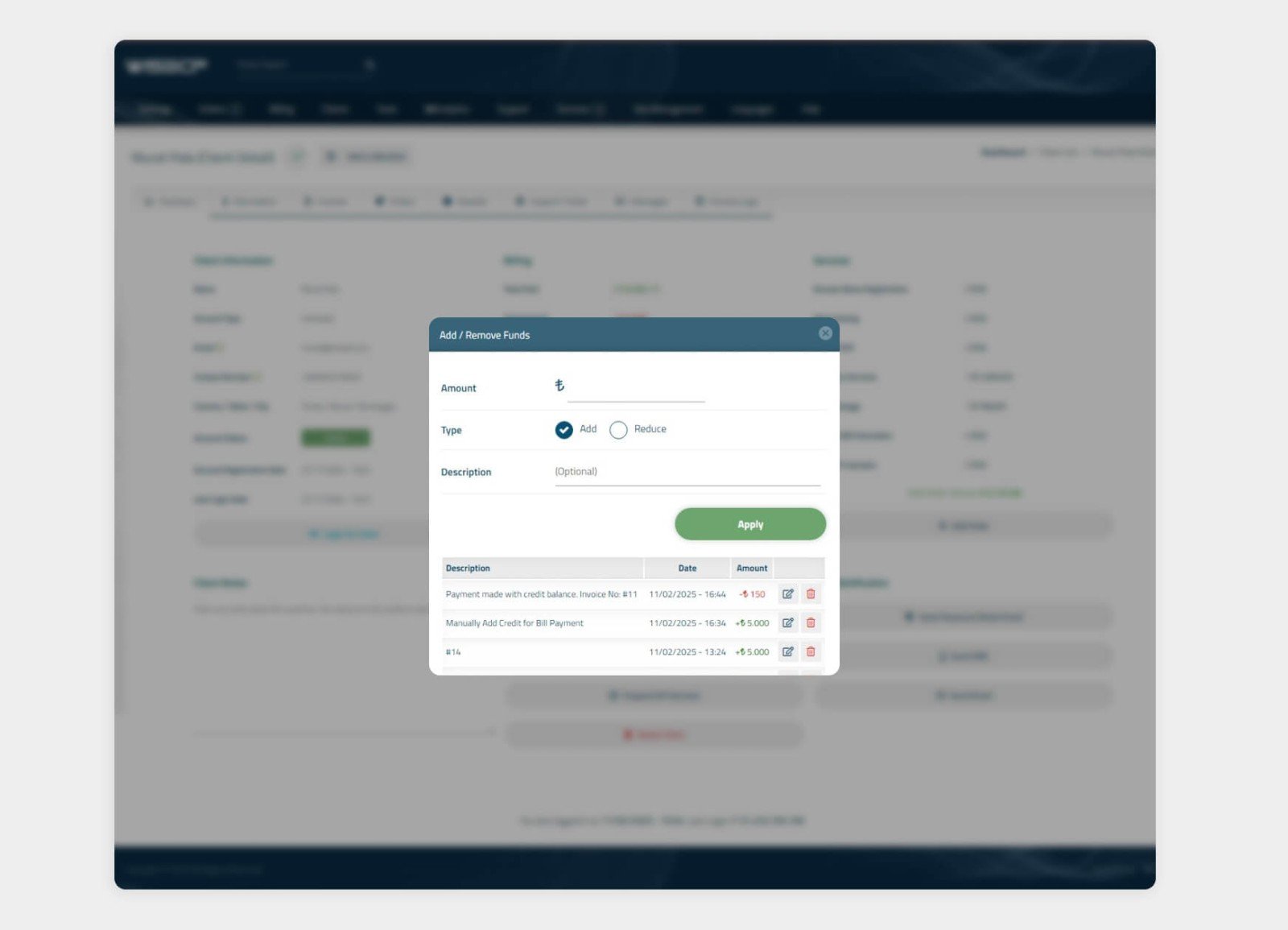
- Credit transactions can be easily managed during invoice cancellation, refund, and deletion processes.
In the Customer Panel:
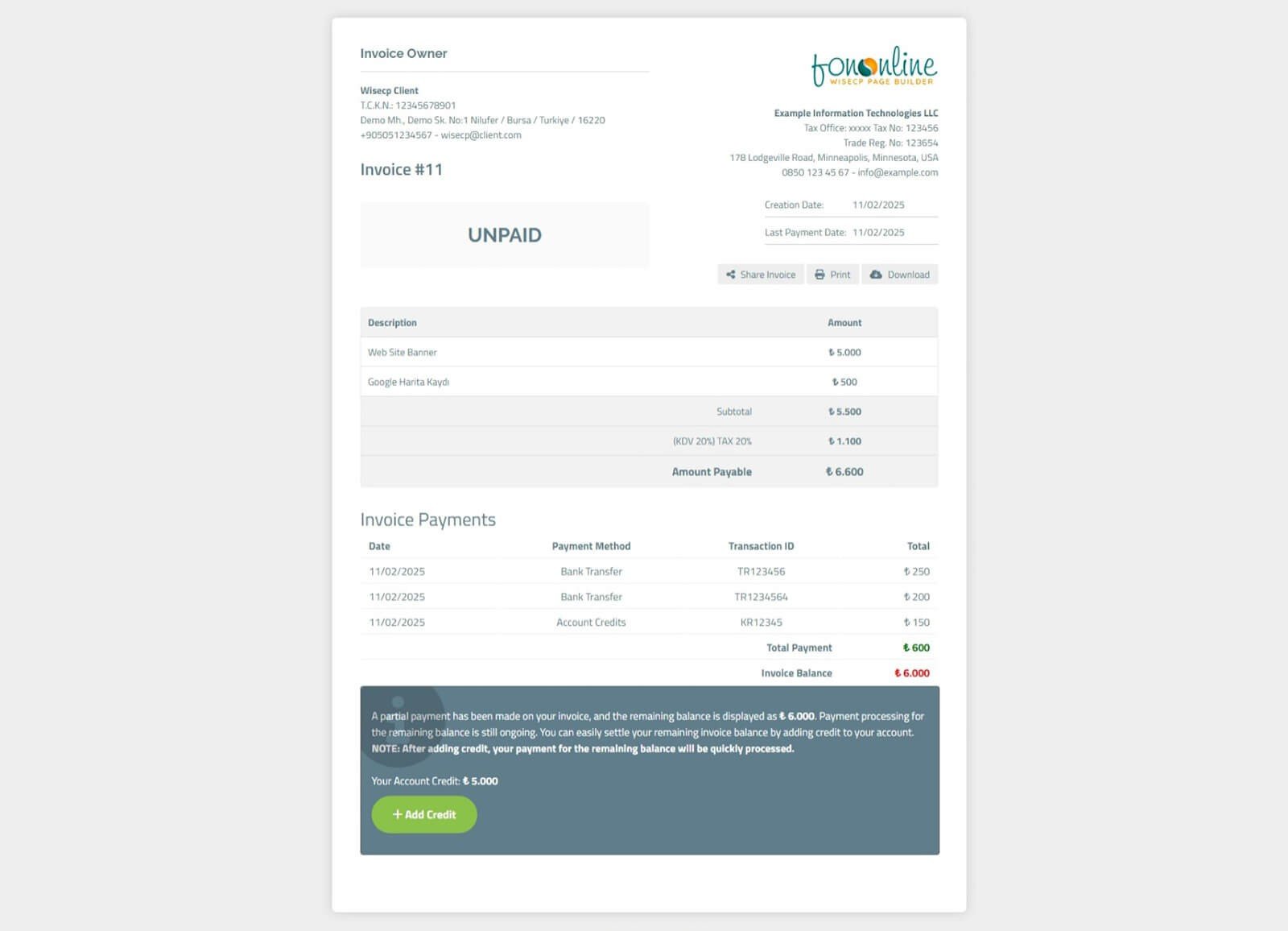
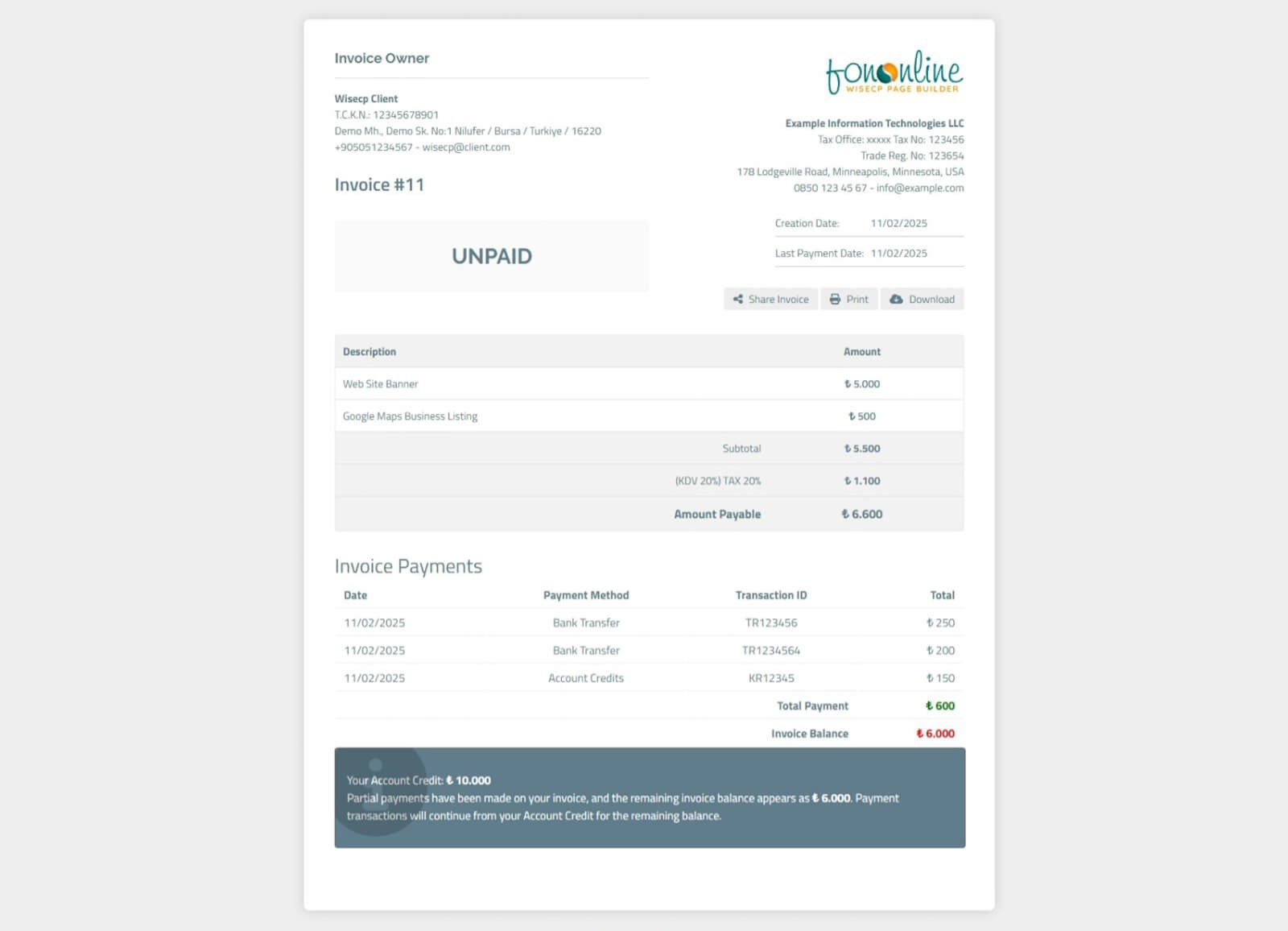
- If the administrator has added a partial payment and enabled the option for customers to view their payments in the module settings, customers will be able to see the list of payment records on the invoice details page.
- If the administrator has added a partial payment, the customer will not see payment methods; instead, a special redirection message will be displayed.
- If the customer’s account balance is sufficient to cover the invoice, a message will indicate that the invoice is open and collections can continue.
- If the account balance is insufficient, a notification and redirection button will be provided, allowing the customer to load credit and complete the invoice payment.
Who Is It Suitable For?
- Hosting and software companies that want to offer flexible payment options to their customers
- Businesses that invoice multiple services under a single invoice and prefer to collect payments in installments
- Companies that collect payments through alternative methods such as bank transfers or in-person payments
- Result: More Flexible, More Professional Invoice Payment Management
- WISECP Partial Invoice Payments adds professionalism and flexibility to your billing processes, providing a more seamless and trackable payment experience for both administrators and customers. Discover the WISECP Partial Invoice Payments module to manage your financial transactions smoothly and enhance customer satisfaction!
Try it now and take your billing system to the next level!
Installation & Usage
- Extract the Zip archive you downloaded from your customer panel on our website into a folder.
- Upload the contents of the "upload" folder to the root directory where WISECP is installed (usually public_html).
- Don't worry! No existing files will be overwritten.
- Log in to your WISECP admin panel.
- Click on the Tools menu and list the plugins.
- On the plugins page, find the WISECP Partial Invoice Payments module and click the Activate button.
- Once the plugin is activated, click the Settings button in the plugin to configure the module.
CONGRATULATIONS! You can now start using the WISECP Partial Invoice Payments Module.