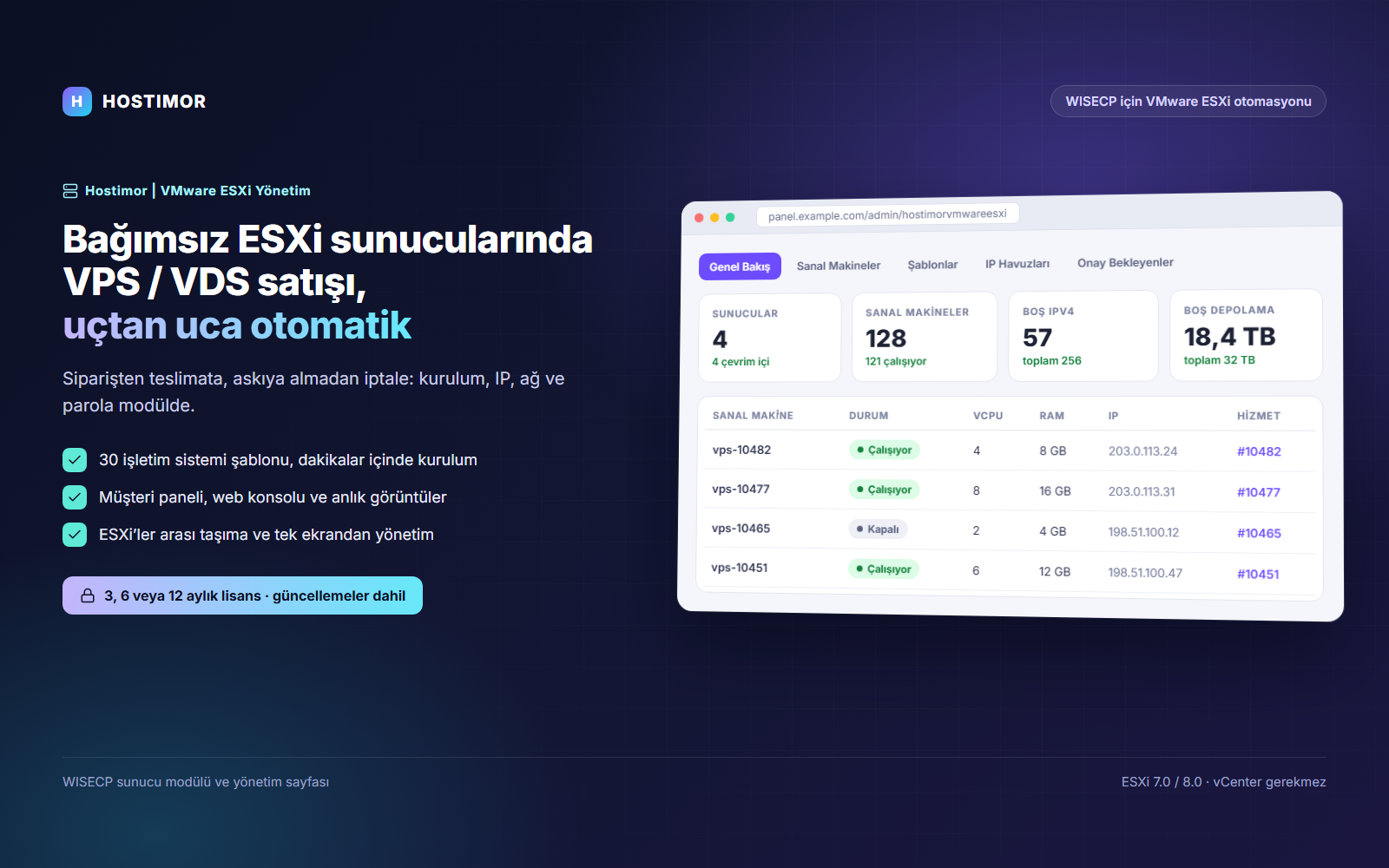
Automate VPS/VDS sales on standalone VMware ESXi: provisioning, client panel, console, snapshots, migration and one management page.
Hostimor | VMware ESXi Management fully automates VPS and VDS sales on standalone VMware ESXi servers, from order to delivery to the end of service. No vCenter, no SSH and no extra software on ESXi: the module uses only VMware's official vSphere Web Services API over port 443. Verified on real ESXi 8.0.3 servers with 30 operating system templates.
It is one WISECP server module with a management page for all your ESXi servers.
Provisioning
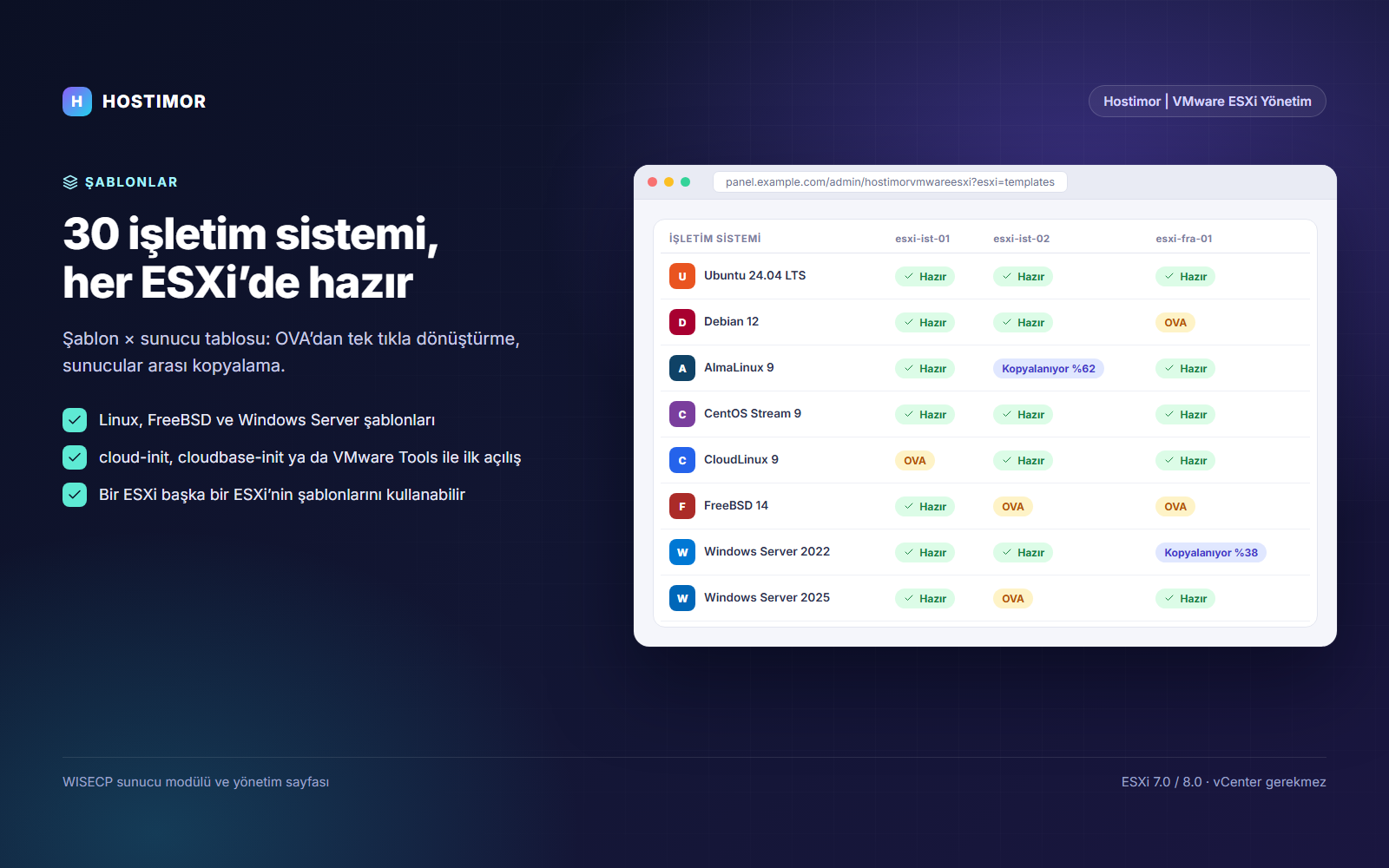
30 templates: AlmaLinux, CentOS / Stream, CloudLinux, Debian, Ubuntu, Kali, FreeBSD, Windows Server 2012 R2 to 2025 and Windows 11 Pro
The customer picks the OS and password on the order form; vCPU, RAM, disk, IPv4 count and CPU / disk IOPS limits come from the product
IPv4 pools with excluded addresses, queued concurrent orders and pools shared across hosts
Hostname, static IP, DNS and password applied on first boot (cloud-init, cloudbase-init or VMware Tools)
OVA files in the datastore become OS options; one host can use another host's templates
Client area
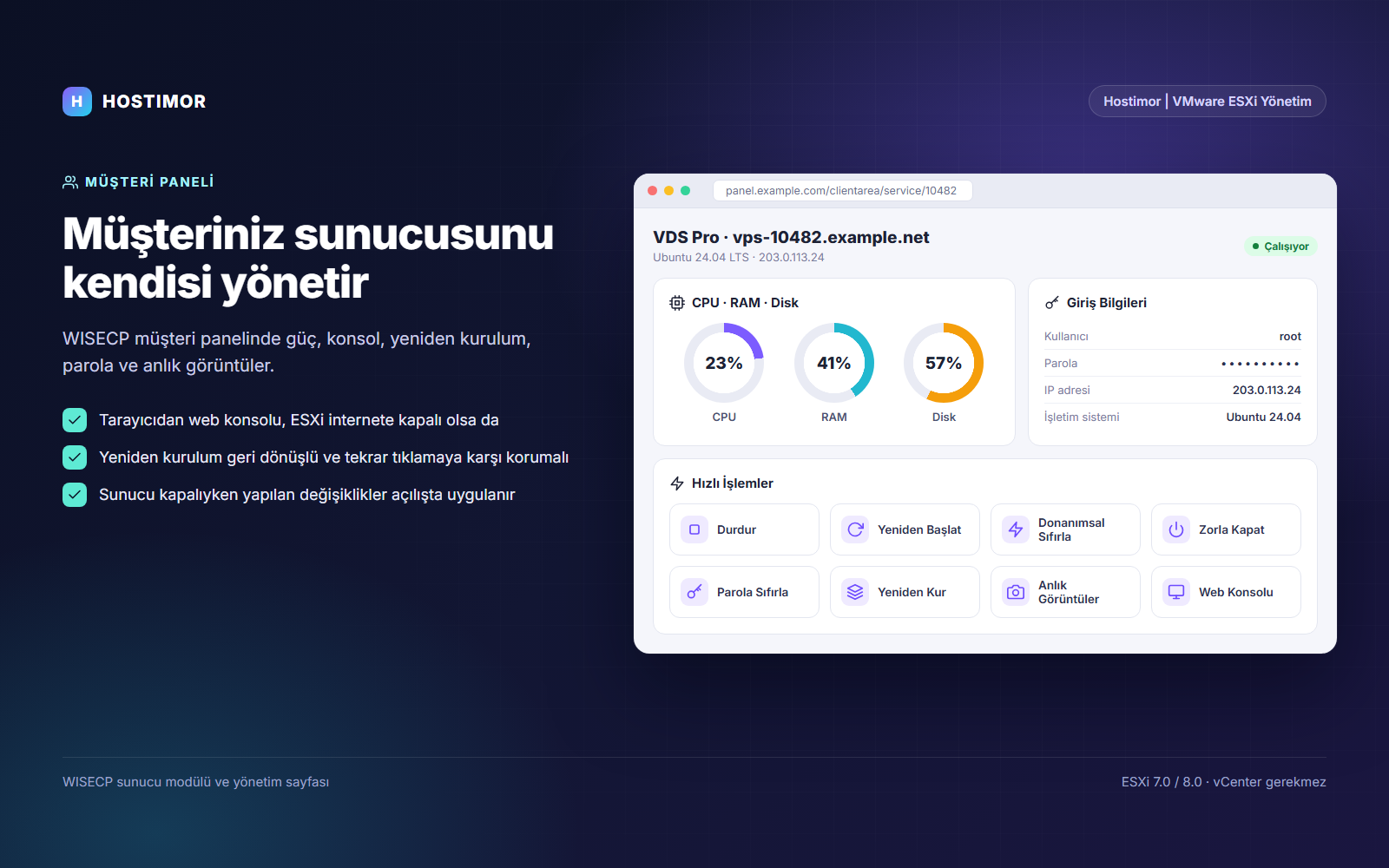
Power actions, OS reinstall and a browser console relayed through WISECP (no extra ports or certificates)
Password, hostname, network / DNS, extra IPv4 and SSH keys
Snapshots with a per-plan limit, usage gauges, event log and a login details card
Lifecycle
Suspend on overdue invoices, unsuspend on payment, cancel and delete at the end of service
Per-product policy: act automatically or leave it to administrator approval
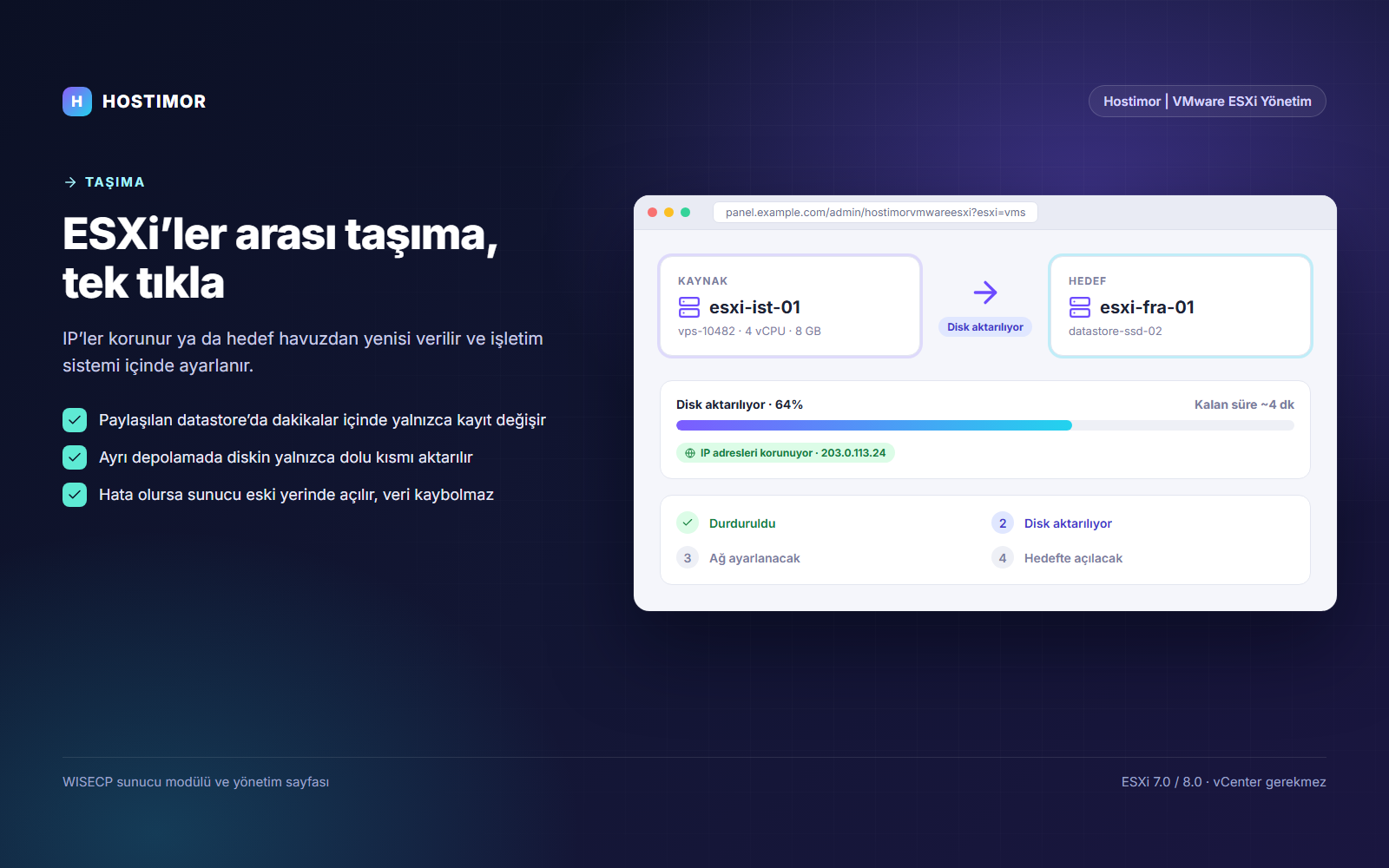
One-click migration between ESXi hosts, keeping or reassigning IPs, with live progress and safe rollback
Management page
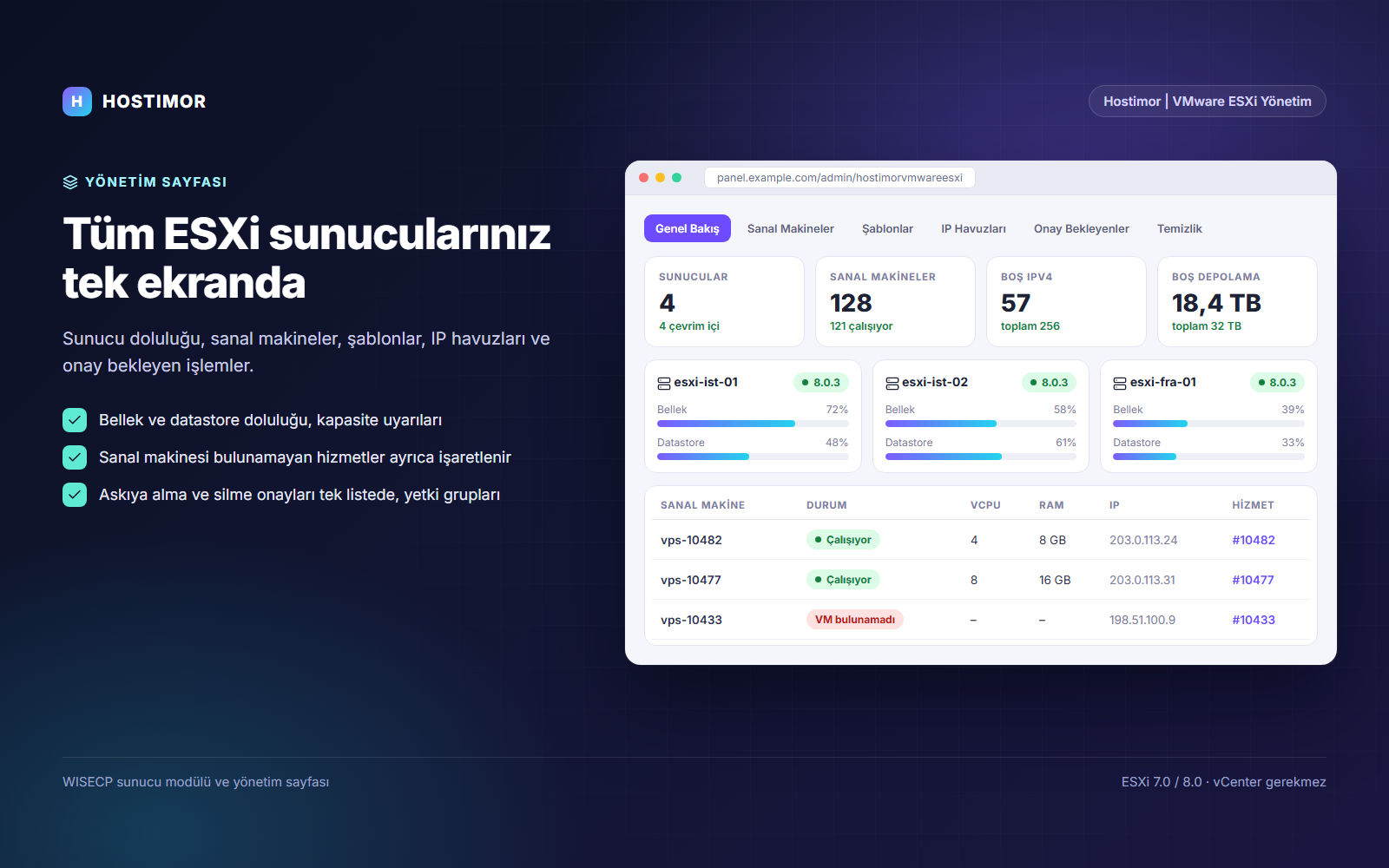
Fleet overview: CPU, memory and datastore usage with capacity warnings
All virtual machines with their customer and service, power actions and migration
Template x host table with one-click OVA conversion, IPv4 pools address by address and safe orphan clean-up
Link existing VMs to services by IP, service number or hostname
Security
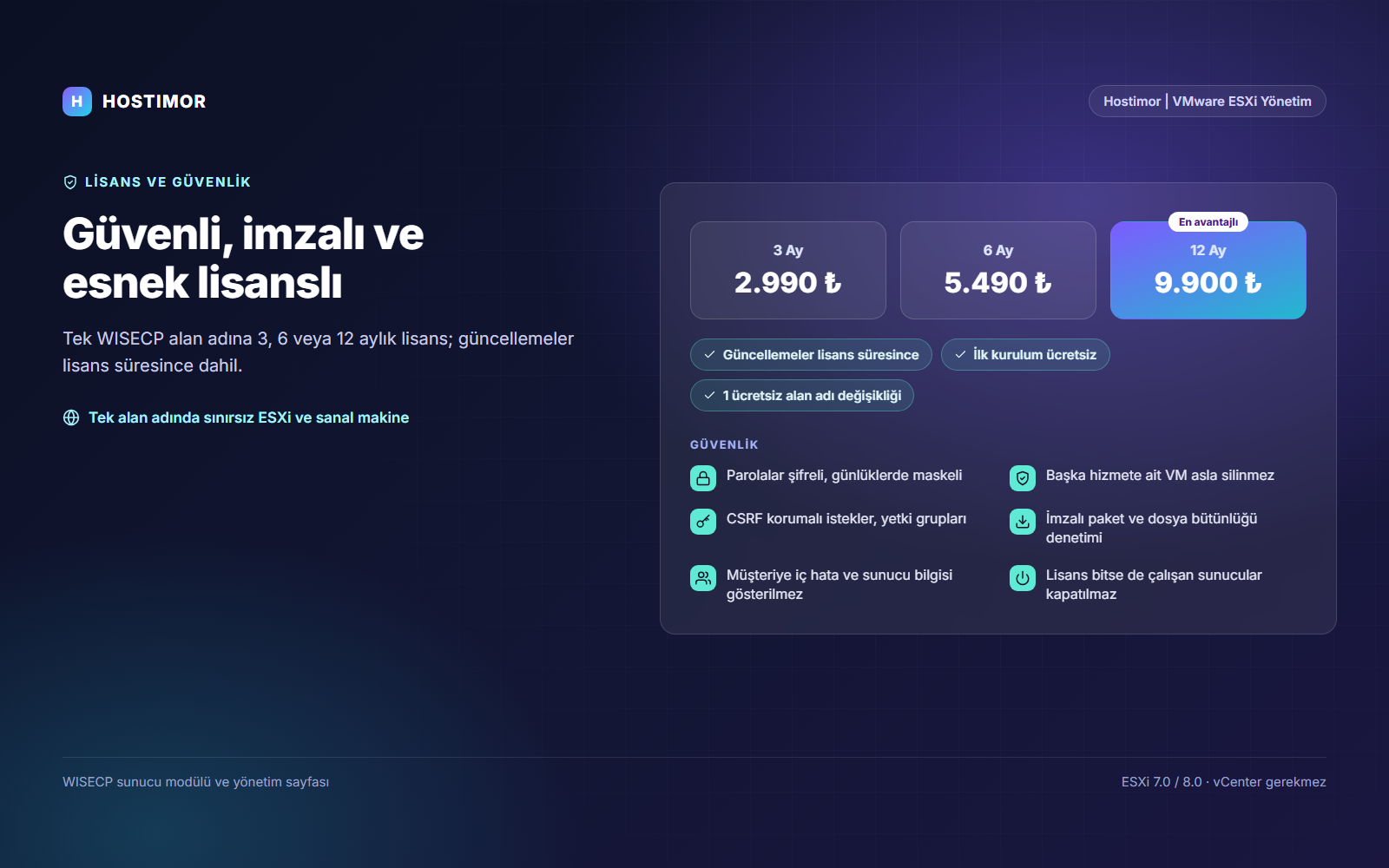
ESXi and customer passwords stored encrypted and masked in logs; only the SHA-512 hash reaches Linux guests
Locks on concurrent operations; another service's VM is never deleted
Customers never see host names or internal errors; CSRF protection and WISECP privilege checks
Licence
3, 6 or 12-month licence for the domain of your WISECP licence, with unlimited ESXi servers and VMs. Updates through WISECP during the licence term and free initial setup by our team. When the licence ends, the management page and server management close; running servers keep running and WISECP keeps suspending, unsuspending and cancelling services.
VMware and ESXi are trademarks of Broadcom Inc. This is an independent product by Hostimor.
Gerçekten İşinin Ehli Bir Arkadaş. Modül Sorunsuz Çalışıyor. Her Konuda Destek Oluyor.
Historie vydání
Co se změnilo v produktu Hostimor | VMware ESXi Management
Vylepšení rozhraní, úpravy kompatibility a nové možnosti podle verzí.
2.1.0Aktuální
Set-up section with a step-by-step wizard: add the ESXi server (WISECP's own server record), network and IPv4 pool, templates, the operating-system choice and the packages; resumable, every step can be reopened.
Readiness check: answers "would an order install by itself?" per package and server — OS choice, automatic setup, package values, free IPv4, port groups, templates, cron — with one-click fixes.
Package builder and OS requirement: create server packages from ready sizes (VDS/VPS, price, server or group) and build the operating-system requirement from the templates on the hosts, keeping existing options stable.
Placement across a server group's profiles, skipping hosts without free IPv4; a safety net moves an order WISECP gives to a full, unreachable or maintenance host to the next fitting group member before anything is created.
Settings profile page: port groups offered from the hosts, a netmask typed as network is refused, mask/gateway hints, and "Find used IPs" lists addresses VMs use (incl. powered-off VMs named after their IP).
Template copies and ESXi-to-ESXi moves from a host whose address is an IP work again; disks are streamed with curl, so PHP allow_url_fopen is no longer needed.
Plan changes keep what the module saved (new IPs, sizes) and take the new package's settings despite WISECP rewriting the options; an unreadable OVA folder no longer floods the module log; PHP 8.1 compatibility checked.
2.0.0
Server backups: scheduled and on-demand backups to any datastore the host sees (local, NFS, iSCSI), retention, time window, restore by the customer or admin. Disk-only snapshot + host-side copy: no vCenter, no SSH, no data through WISECP.
Resource statistics: CPU, RAM, network and disk graphs for customers and admins, a monthly traffic counter with quota and add-on, notify or stop at the limit, abuse thresholds for CPU and network.
Additional disks, ISO images and rescue mode: customers add and grow data disks (formatted and mounted in the guest), mount ISOs from a library and boot a rescue ISO; boot order handled.
Networking: per-range port group and IP group, passive addresses and notes, a per-IP editor (gateway, mask, MAC), bulk import (incl. ip-gateway-netmask-mac lines), on-link gateways (/32, OVH/Hetzner), IPv6 addresses and reverse DNS (manual or PowerDNS).
Smart placement: new orders go to the best ESXi and datastore by priority, reserves, max VMs and oversell rules, with a simulation; hostname template with {ip}, {service} and more.
Run code on one or many VMs through VMware Tools with saved snippets, and one-click application installs for customers: Docker, cPanel & WHM, Plesk, aaPanel.
Virtual data centre: sell a pool of vCPU, RAM, disk and IPv4; the customer creates, resizes, reinstalls and deletes their own servers in the client area, with console and quotas.
Governance: audit log of every action with its actor, customer rate limits, mass-deletion guard, reports with CSV export, and a migration wizard for providers moving from another panel.
MAC addresses bound to IP addresses (Hetzner/OVH separate MACs): profile list and per-server setting, checked for VMware's range and duplicates; MACs follow IP changes and migrations.
1.9.4
IP Addresses dialog: the intro names the virtual machine, and the sentence about addresses an administrator gave shows only when there are some.
Tested with WISECP 5.0-beta.4: the licence card no longer shows the "not tested" notice there. The minimum stays 5.0-beta.3.
Add-ons ordered with a server: WISECP runs one job per add-on side by side, and one could fail its first attempt with "another operation is running". They now finish at once while the server is being created, otherwise wait up to a minute.
1.9.3
"IP Addresses" dialog on the management page: change an address to a free one of the pool, give a service an extra address, or remove an extra address. Addresses an administrator gives are kept through plan and add-on changes.
On a running VM the change is applied at once over VMware Tools, without a restart; otherwise once the server is ready. If the guest cannot take it, the service keeps its old addresses and network.
The network task checks that the primary address reached the interface and moves the host name line of /etc/hosts to it.
Guide and README: the "Extra IPv4 Addresses" add-on gives its addresses by itself; how to sell extra IPs with a product add-on.
Windows: extra IP addresses are now added as SkipAsSource, so outgoing traffic leaves from the primary address and VMware Tools reports the primary address as the VM's address.
When the network of a running server was rewritten, netplan ran with restricted file permissions and the server lost its IPv4 address until a restart (seen on Ubuntu 26.04).
1.9.1
VM list: a service's VM shows the IP address the service records, also while the VM is off.
The guest data clean-up after the first setup looks for the VM's own IP on its network cards instead of the primary address.
VMs running Docker (or another bridge / VPN interface): when VMware Tools reported the bridge (e.g. 172.18.0.1) as the primary IP, the VM list, the VM page and the import list showed it. Only the VM's network cards are read now.
IP pool: addresses used by VMs on this or another ESXi server now count as in use on Docker hosts too (only the primary address was checked before).
When ESXi 8 left a running VM's quick stats empty, the client area CPU/RAM gauges and the VM page showed 0. They now read ESXi's real-time performance counters in that case (one extra request, only for such a VM); uptime comes from the boot time.
1.9.0
Resource type per product: Shared (VPS) or Dedicated (VDS). Dedicated plans reserve the set MHz per vCPU (empty = a whole physical core) and all of the memory on ESXi with high priority; applied on orders, upgrades, add-ons and manual resizing, without a restart.
New Resource Allocation tab on each server: the host's reserved and free CPU/memory and every VM's reservation next to its plan, with Apply / Apply all (no restart); reserved CPU/memory on the host card and an allocation line on the VM page.
The resource type can also be set for a single service (as in the plan / shared / dedicated) on its Settings tab; it applies at once.
Services Past Their Due Date on the Awaiting Approval tab, cancelled ones until their server is terminated: the next step of WISECP's automation with its date, within its working hours and after exemptions, the outcome under the product's overdue setting and the invoice; also on the overview.
An order whose reservation is not free on the host stops before anything is copied, naming the CPU/memory needed and free; ESXi's own refusal to start a VM is explained in plain words.
The client area marks the CPU and memory of a dedicated (VDS) plan as dedicated.
The server page's sections stay in an even grid on phones; the in-panel guide and README cover VDS/VPS plans and overdue services.
Požadavky
Další požadavky
Uvedeny jsou jen požadavky nad rámec standardního prostředí WISECP.
Vyžaduje alespoň
5.0-beta.3
WISECP 5.0-beta.3 or later with a valid WISECP licence (tested with 5.0-beta.3). PHP 8.1 or later (tested with 8.2) with curl, dom, openssl and mbstring and the current ionCube Loader for the WISECP-encoded files. Standalone VMware ESXi 7.0 or 8.0 with a paid or evaluation licence; vCenter is not needed. The WISECP server must reach each ESXi host over HTTPS (port 443) and www.hostimor.com for licence checks. The WISECP cron job must run every minute (template conversion, migration and queued jobs). Template VMs or OVA files in the datastore; templates without cloud-init are prepared through VMware Tools. An active Hostimor | VMware ESXi Management licence (3, 6 or 12 months) for the domain of your WISECP licence: when it ends, new operations and the management screens stop, while WISECP's suspend, unsuspend and cancel keep working and running servers are left alone. Interface languages: Turkish and English.
Podpora od vývojáře
Pomoc od týmu, který vytvořil Hostimor | VMware ESXi Management
İsa Güngör zajišťuje k tomuto produktu poradenství a podporu.